
AI monitors
A monitor evaluates your logs on a schedule and raises an alert when something's wrong. An AI monitor is the agentic kind: instead of a fixed threshold, it runs a natural-language prompt through the agent each tick — the agent investigates with its tools and decides whether to alert. Use it for fuzzy conditions a threshold can't express: "alert if error patterns look abnormal", "flag unusual authentication activity", "tell me if any service's latency degrades."
Requires a provider
AI monitors run the agent, so they need an LLM provider. Threshold monitors (a count crossing a number) don't — see Monitors.
Creating an AI monitor
Go to Alerts → Monitors → New monitor, choose the AI Monitor type, and write the prompt the agent evaluates each run:
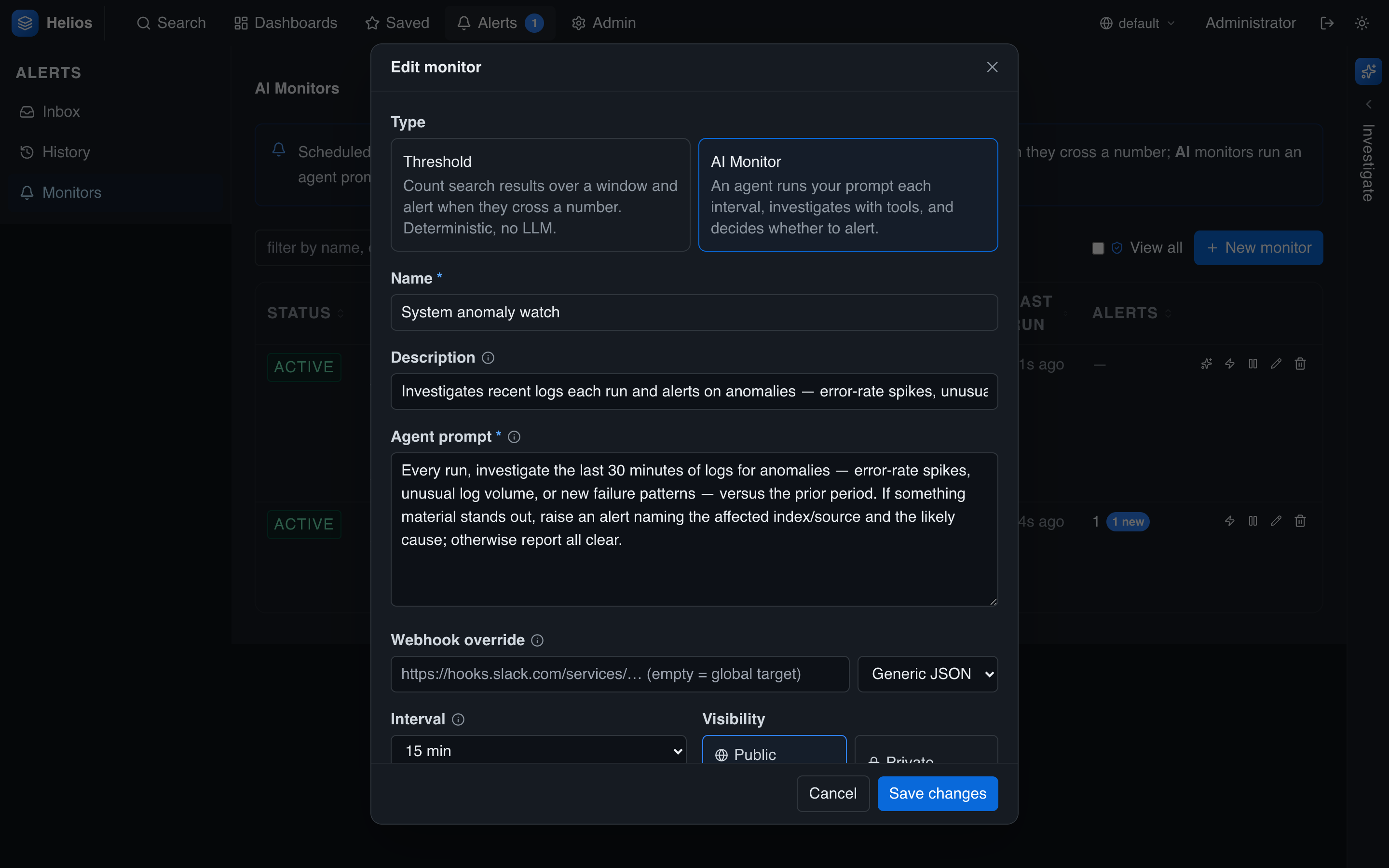
| Field | Notes |
|---|---|
| Type | AI Monitor (vs. Threshold). |
| Name / description | A label; the description supports Markdown — link a runbook. |
| Agent prompt | The instruction the agent evaluates each run. |
| Interval | How often it runs. Minimum 5 minutes — each run spends LLM tokens. |
| Webhook override | Optional per-monitor webhook target. |
| Visibility | Public (everyone sees its alerts) or private (just you). |
Write the prompt like a brief: what to investigate, what counts as abnormal, and what to do — e.g. "raise an alert naming the affected index and the likely cause; otherwise report all clear."
…or ask the agent to create one
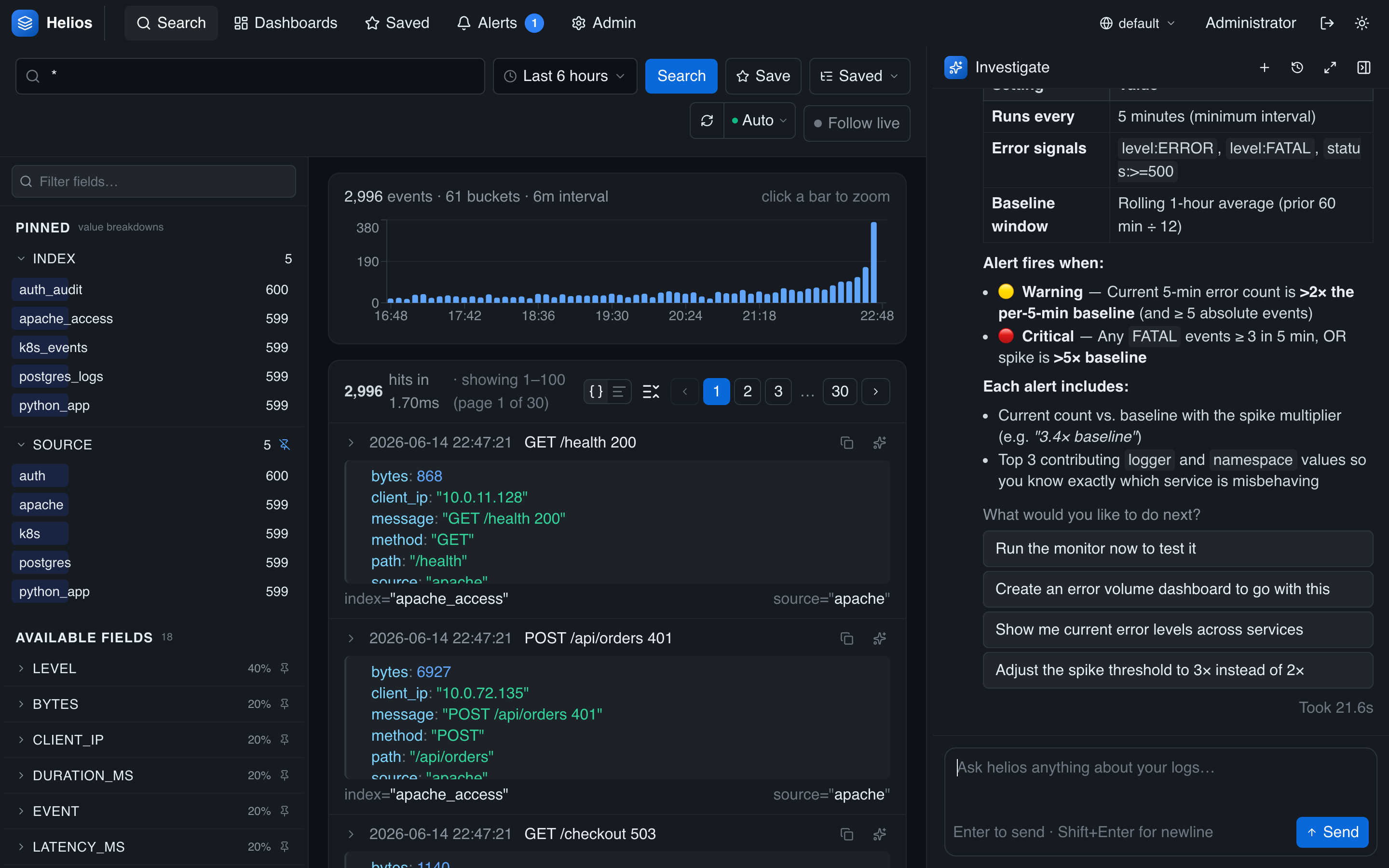
You don't have to fill in the form by hand. During an investigation, ask the agent to set up monitoring and it drafts and creates the monitor for you:
Set up a recurring monitor that alerts me whenever error volume spikes.
Viewing a run
Every run leaves a full conversation trace. From the monitor list, click view latest run to open the agent's investigation in the Investigate panel — the exact tools it called and what it concluded:
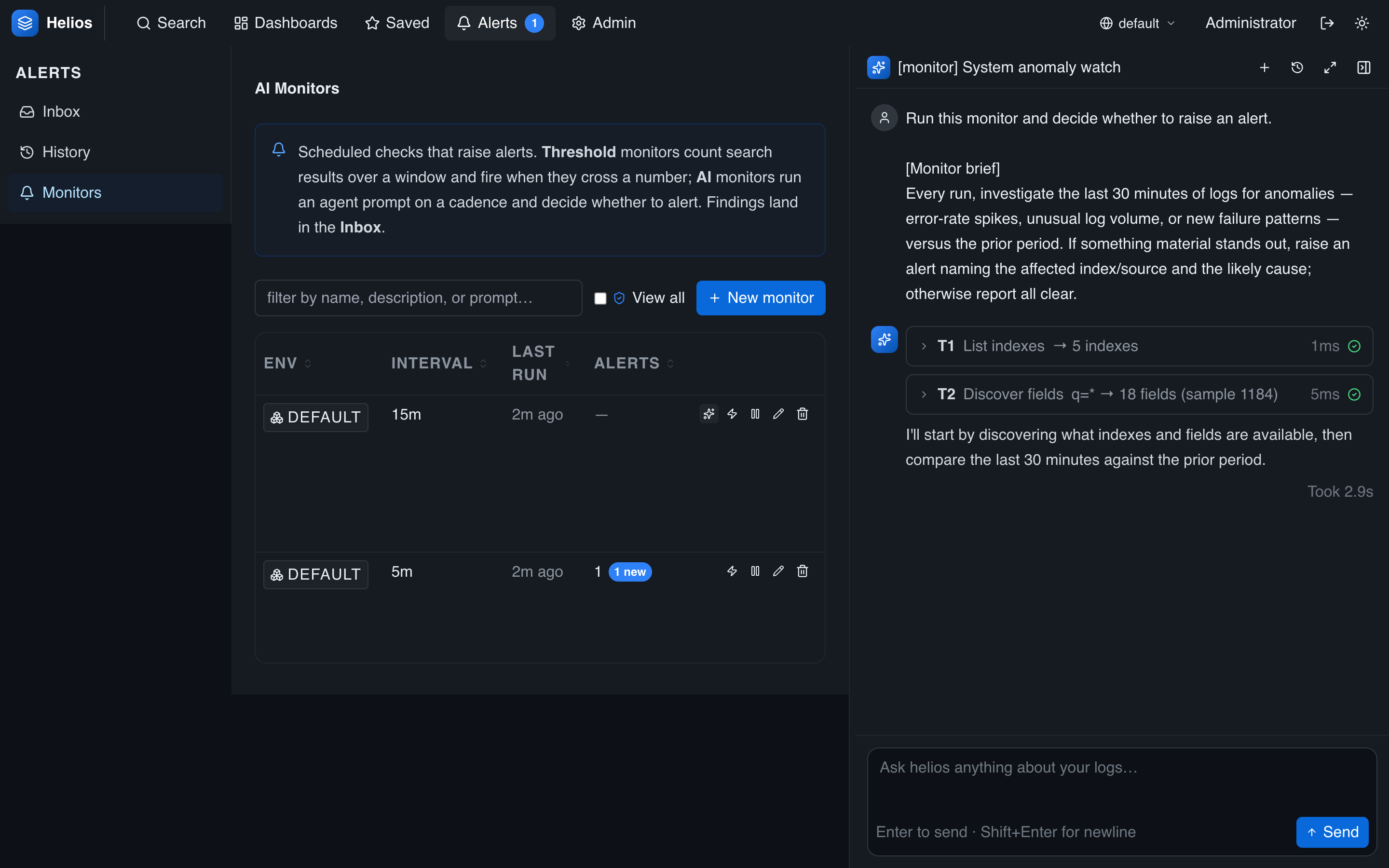
When a run raises an alert, the alert links back to this trace, so responders see the agent's reasoning — not just the verdict.
How they run
AI monitors are scheduled and evaluated server-side like any monitor: a background scheduler runs due monitors (in a cluster, each run takes a short lease so it fires on one node only); threshold vs. AI is just the evaluation method. For the full configuration reference and threshold monitors see Monitors; for the inbox and acknowledgement see Alerts; for webhook delivery see Notifications.