
Environments
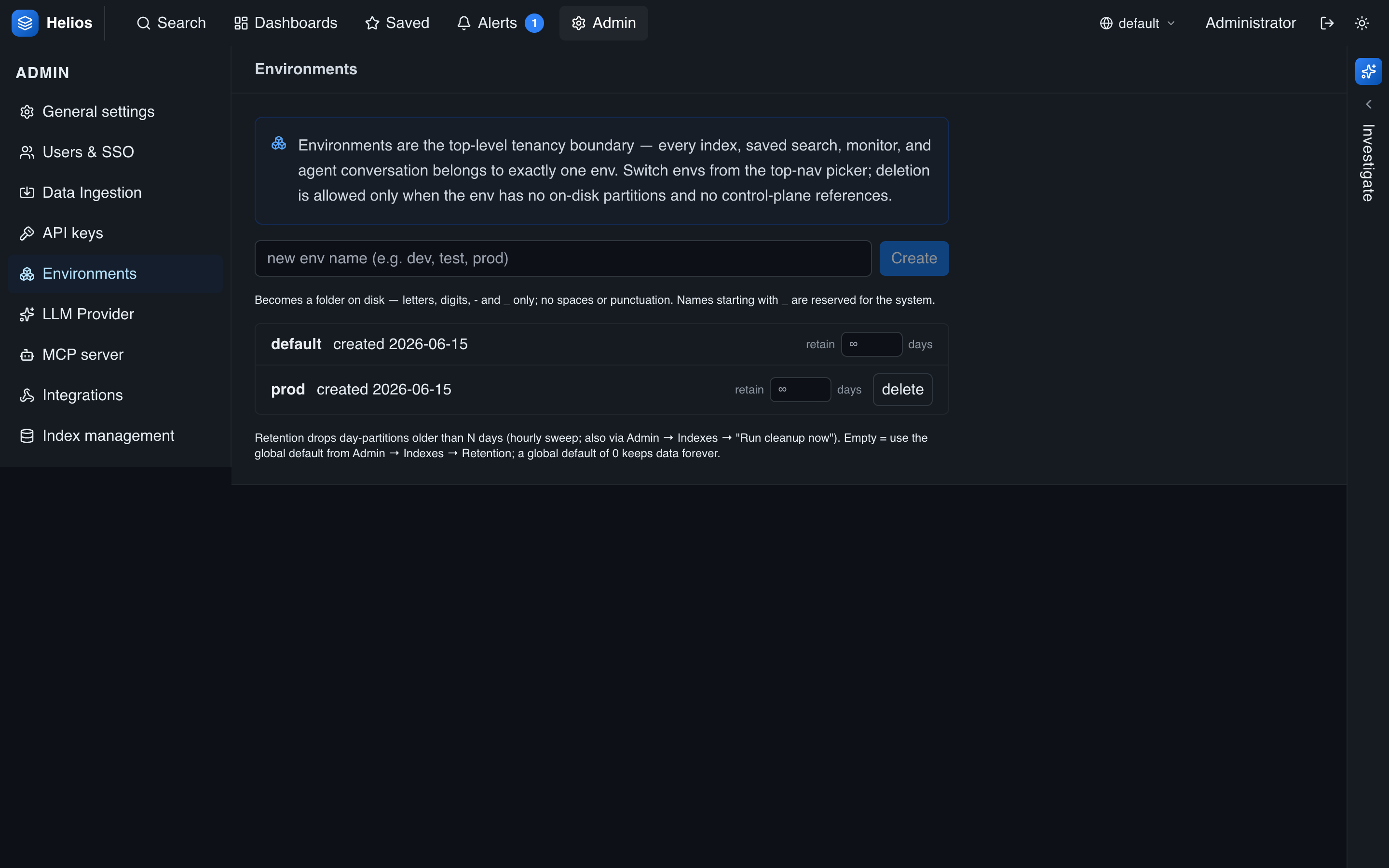
Environments are HeliosLogs's top-level tenancy boundary — each index and saved search belongs to exactly one. Admins manage them under Admin → Environments.
Reserved environments
| Environment | Notes |
|---|---|
default | The initial user data; every install starts here. Cannot be deleted. |
_system | Backend self-logs. Admin-only. |
Names starting with _ are reserved for the system — you can't create or ingest into them.
Creating and deleting
Create an environment by giving it an alphanumeric name (e.g. dev, staging, prod, or one per team). New (env, index, day) partitions materialize on first write — there's nothing else to provision.
Deleting an environment is only allowed when it's empty — no on-disk partitions and no control-plane references (saved searches, etc.). HeliosLogs refuses to delete a non-empty environment, so you don't lose data by accident.
Per-environment retention
Each environment can override the global retention default — set a number of days, or leave it blank to inherit the global default. This lets you keep, say, prod for 90 days and dev for 7.
Switching environments
Users select the active environment with the top-nav picker; every read and write defaults to it. You can also override it per request with &env=<name> on a URL. A user only sees environments their access allowlist permits.
Ordering and the default environment
On Admin → Environments you control how environments are presented:
- Reorder — use the up/down arrows on each row to arrange the list. This sets the order environments appear in the top-nav picker, for everyone.
- Default for new sign-ins — mark one environment with the star (★) on its row. When a user logs in on a browser that has no previously-selected environment, they start in this one; once someone switches, their choice sticks for that browser. With no default set,
defaultis used.
Both are instance-wide settings — put the environment most people should land in first and star it, so a fresh login opens somewhere useful.
Designing your layout
Common patterns: one env per deployment stage (dev/staging/prod), or one per team/tenant. Combine with RBAC so each group sees only its own environment.