
Agent & LLM setup
HeliosLogs has a built-in AI agent that searches and analyzes your logs to help investigate incidents, and powers AI monitors. It needs an LLM provider, which an admin configures under Admin → LLM Provider.
The agent is off by default — a fresh instance has no provider configured. Pick a provider, enter credentials, and enable it.
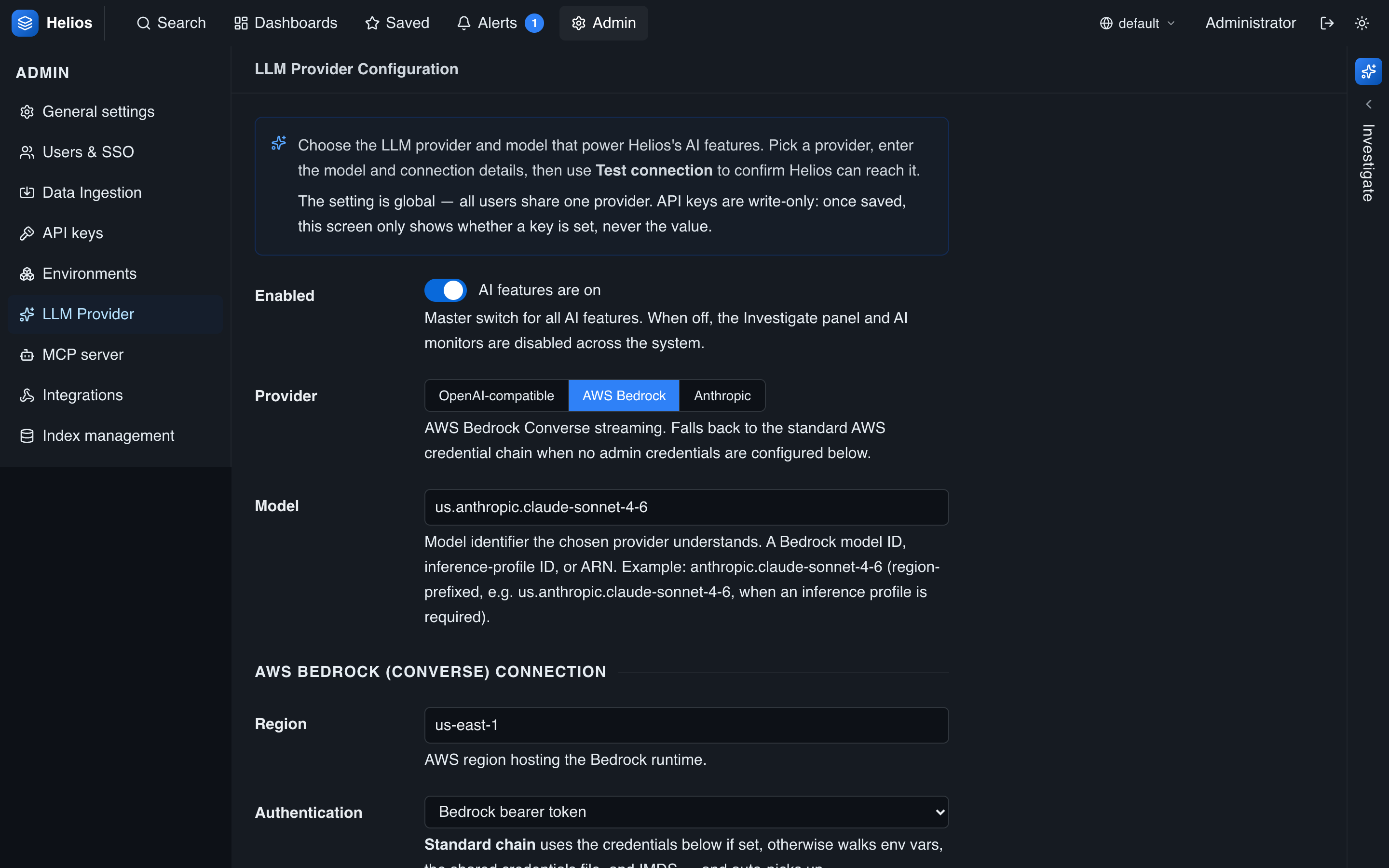
Choosing a provider
HeliosLogs supports three providers:
| Provider | Use it for |
|---|---|
| OpenAI-compatible | The OpenAI API, or any compatible server (vLLM, llama.cpp, LM Studio, OpenRouter, Together, …). |
| Anthropic | The Anthropic Messages API. |
| AWS Bedrock | Managed models on Bedrock (via the Converse API). |
OpenAI-compatible
| Setting | Notes |
|---|---|
| Endpoint | Base URL (default http://localhost:8080/v1). |
| API key | Write-only; leave blank to keep the existing one. |
| Model | Model identifier (e.g. gpt-4o, or local for a self-hosted server). |
Anthropic
| Setting | Notes |
|---|---|
| Endpoint | Default https://api.anthropic.com/v1. |
| API key | Write-only. |
| Model | e.g. claude-sonnet-4-6 (the default) or claude-opus-4-8. |
AWS Bedrock
| Setting | Notes |
|---|---|
| Region | The Bedrock region (default us-east-1). |
| Auth mode | Default chain (env vars, ~/.aws, instance role, …) or bearer token. |
| Credentials | Optional explicit access key / secret / session token; omit to use the default chain. |
| Bearer token | For bearer auth; overrides AWS_BEARER_TOKEN_BEDROCK. |
| Model | A model id, inference-profile id, or ARN (e.g. anthropic.claude-sonnet-4-6, or a region-prefixed us.anthropic.claude-sonnet-4-6). |
Each provider keeps its own model setting, so switching providers doesn't lose the others' models.
Credentials are write-only
API keys and secrets are never echoed back — the UI shows only whether a key is configured. Leave a key field blank to keep the stored value; clear it explicitly to remove it.
Test the connection
Use Test connection to send a probe with the staged form values (you don't have to save first). It runs a short exchange and shows the request/response — or the error — so you can validate the endpoint, credentials, and model before enabling the agent for everyone.
What the agent can do
Once enabled, the agent can search, aggregate, chart, and discover fields across your logs to answer questions and investigate alerts. It uses the same tool catalog as the MCP server. See Investigating with the agent.
Data leaves your instance
When the agent runs, your prompts and the log data it retrieves are sent to the configured LLM provider. For self-hosted/air-gapped requirements, point the OpenAI-compatible provider at a model you host. Review your provider's data policy.