
API keys
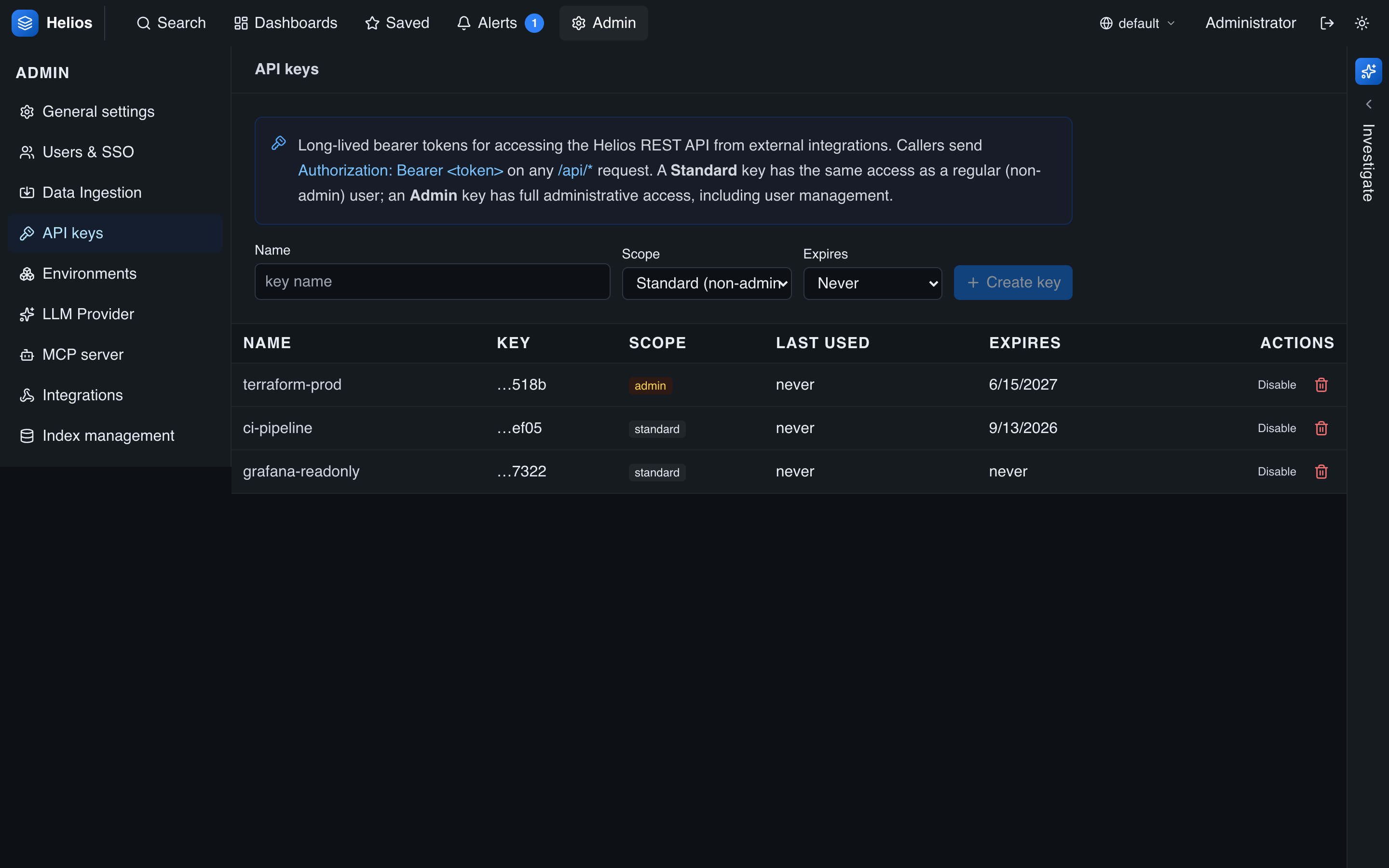
API keys are long-lived bearer tokens for programmatic access — automation, integrations, scripts that call the HeliosLogs REST API, and the MCP server. Manage them under Admin → API keys.
API keys vs. ingest tokens
API keys authenticate REST calls (search, aggregate, admin) and MCP through the same path as a user session. Ingest tokens are for pushing logs and are scoped to an env/index. Use the right one for the job.
Creating a key
Click New API Key and fill in:
- Name — a label.
- Purpose — optional free-text notes on what the key is for.
- Scope — a multi-select grant; tick any combination:
- Standard API — non-admin
/api/*, subject to the same RBAC allowlist model as a normal user. - Admin API — full admin
/api/admin/*. Implies Standard API. - MCP server — the MCP
/mcpendpoint.
- Standard API — non-admin
- Expiry — an optional lifetime in days; omit for a key that never expires.
The secret is shown once at creation (it's prefixed hlk_); copy it then. Listings afterward show only the last four characters, alongside the key's scopes.
Using a key
For the REST API:
curl -H "Authorization: Bearer hlk_<secret>" \
  'https://helios.example.com/api/search?q=level:error&env=prod'
A key authenticates as a synthesized principal carrying its scopes — a Standard API key sees only what its access allows, exactly like a scoped user; an Admin API key has full admin access (and standard access too). A key without the matching scope is rejected: an MCP-only key can't drive the REST API, and a key without the MCP server scope can't reach /mcp. For MCP, pass the same hlk_… value in the Authorization header of your client config — see MCP server.
Lifecycle
- Disable/enable a key without deleting it.
- Delete to revoke immediately.
- Expired keys are rejected automatically.
- Each key records who created it and when it was last used (for audit). MCP calls also log the key name in
_heliosmcp, so MCP activity is attributable per key.
Least privilege
Grant only the scopes a key needs — reserve Admin API for genuine administrative automation, give each MCP client its own MCP server key, set an expiry, and rotate them. See Security hardening.