
Users & RBAC
Admins create and manage user accounts under Admin → Users, and control what data each user can see with a per-user access allowlist.
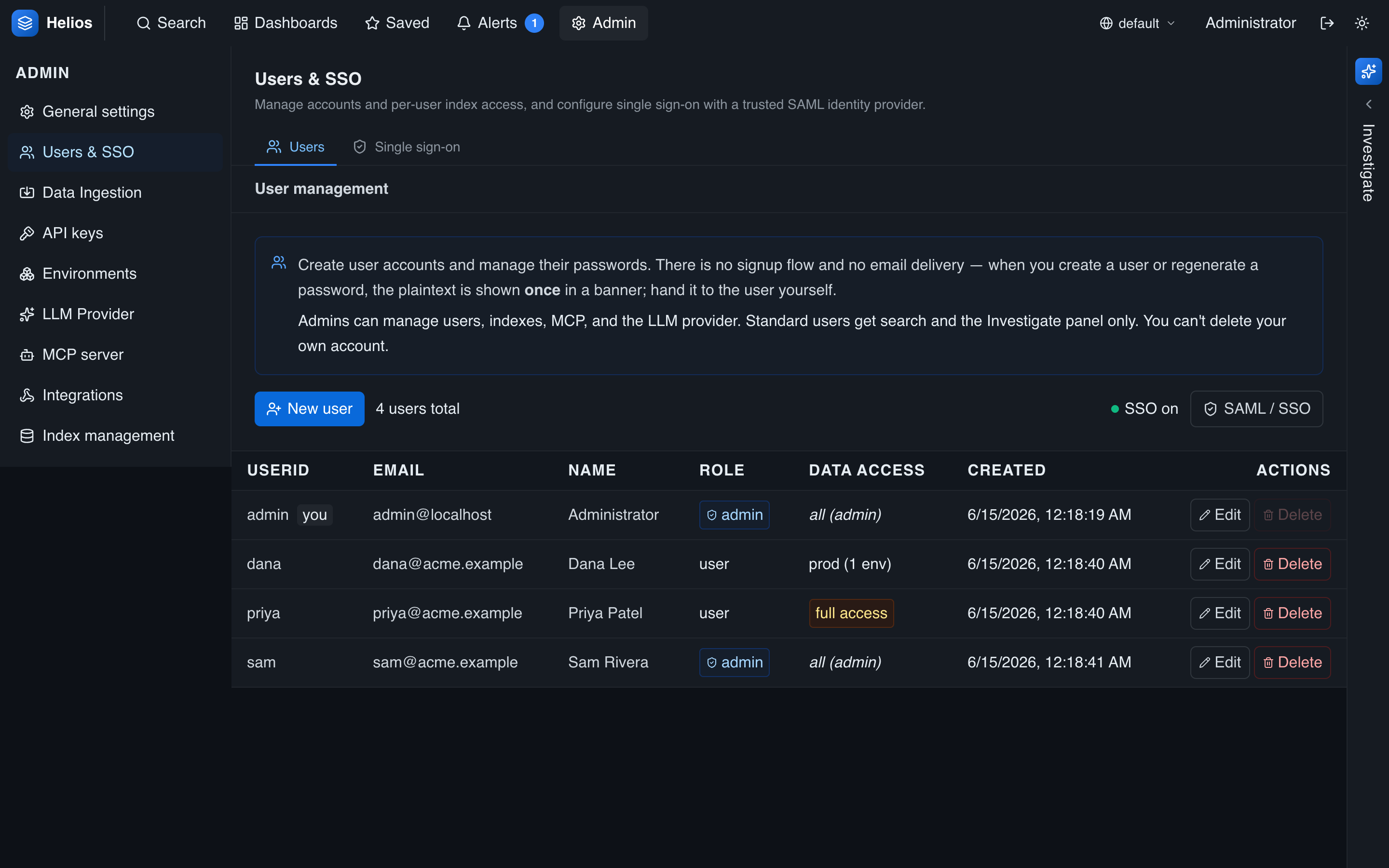
Creating users
There's no self-signup — an admin creates each account (userid, email, display name, and whether they're an admin). HeliosLogs generates a strong password (a 20-character random string) and shows it once at creation; hand it to the user. The password is stored only as a PBKDF2 hash, never in plaintext.
You can edit a user's details, regenerate their password (shown once again), toggle admin, and delete accounts.
Roles
| Role | Capabilities |
|---|---|
| Admin | Full access to the admin console and to all data, bypassing the allowlist. |
| Standard | Search, dashboards, saved searches, alerts, and the agent — within their data-access allowlist. |
Data-access allowlist (RBAC)
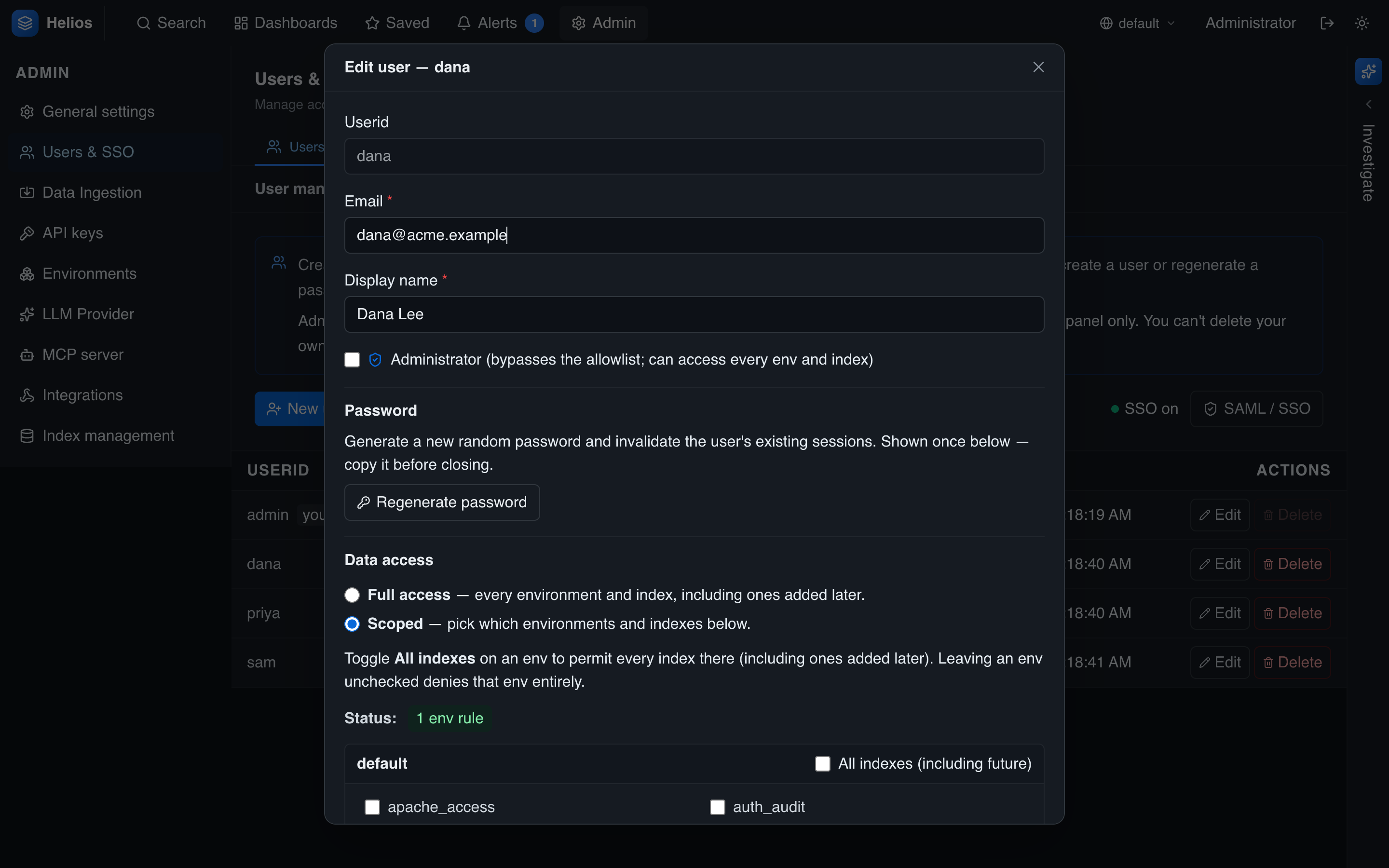
Each standard user carries an env/index allowlist that scopes what they can read. A rule names an environment and, optionally, specific indexes within it:
- Empty allowlist → full access: every non-system environment and every index, including ones added later.
- One or more rules → scoped: the user sees only the listed env/index pairs.
Edit the allowlist with the env-grouped checkbox UI in the user dialog — toggle "all indexes" for an environment, or pick individual indexes.
How it's enforced
The allowlist is AND-ed into every read — search, aggregate, histogram, and field discovery. A scoped user's … | stats count by index only returns the indexes they're allowed to see; there's no way to read around it. The same shape scopes the MCP server.
The reserved _system environment (self-logs) is admin-only — it's never granted to standard users, even via the allowlist.
Revoking access
- Disable/delete a user to stop new logins.
- Changing a user's password revokes their existing sessions: each account has a credentials version that's stamped into issued tokens and checked on every request, so old tokens stop working immediately. See Authentication.